اگر فایل یا کتابی رو که میخواهید توی سایت نیست روی " پیشنهاد فایل " کلیک کنید.


خرید و دانلود نسخه کامل کتاب VMware Certified Professional - Data Center Virtualization (VCP-DCV) Certification Guide: Master data center virtualization with expert VMware vSphere guidance (English Edition)
قیمت اصلی 4,222,000 تومان بود.3,872,000 تومانقیمت فعلی 3,872,000 تومان است.
خرید و دانلود نسخه کامل کتاب Windows 11 in easy steps
قیمت اصلی 1,960,000 تومان بود.1,610,000 تومانقیمت فعلی 1,610,000 تومان است.
📥 ترافیک اینترنت مصرفی جهت دانلود فایلها در میکی بوک، بهصورت نیمبها می باشد.
فقط اینقدر👇 دیگه زمان داری با تخفیف بخریش
00روز
03ساعت
26دقیقه
59ثانیه
-42%
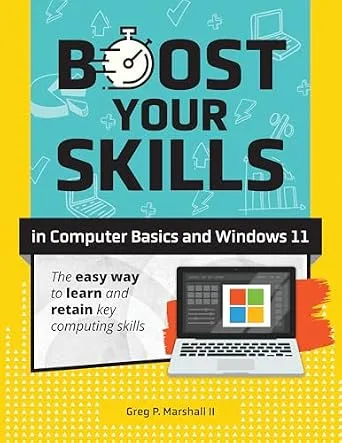
خرید و دانلود نسخه کامل کتاب Boost Your Skills In Computer Basics and Windows 11: (+ Online Simulations & Resources)
قیمت اصلی 825,000 تومان بود.475,000 تومانقیمت فعلی 475,000 تومان است.
تعداد فروش: 61
نویسندگان: Greg Marshall
فرمت: Kindle Edition or PDF + Converted PDF ناشر: Labyrinth Learning (November 10, 2024) تاریخ انتشار نسخه الکترونیکی : November 10, 2024
؟
لینک: https://www.amazon.com/dp/B0DMQF1H2F
زمان تحویل: حداکثر 24 ساعت
1
آیتم آخرین فروخته شده 30 دقیقه
4
افرادی که اکنون این محصول را تماشا می کنند!
توضیحات
LEARN WINDOWS 11 AND COMPUTER BASICS THE RIGHT WAY – FAST, EASY, AND PRACTICALJoin the thousands of students and educators who have trusted Labyrinth Learning’s proven training system for over 30 yearsDespite what other books may claim, you are not a dummy. You just haven’t had the opportunity to learn how to use Windows 11 and computers the way others have, and that’s okay. Whether you’re a beginner, a senior, or need skills for work or school, we’ve got you covered. It’s time for you to gain the confidence and independence you’ve been looking for, and here’s how we make that easy for you:We start you off the right way – Truly for beginners, the first things you’ll learn are how to use a mouse, how to create a secure password, and how to log into Windows 11.We make it easy to see and follow – We take a visual approach, using large text and images so you won’t have trouble following along.We take it step-by-step – Our hands-on approach includes step-by-step exercises for you to follow.We focus on what you need – Writing emails, safely using the internet, writing documents, finding your files, and moreWritten by a teacher and professionalGreg Marshall teaches a wide variety of topics, from Microsoft Office to web design, and new subjects as they emerge. During his career, Greg wrote and developed curricula for college computer and business programs. He now lectures nationally on future trends in computers.Backed by decades of experienceFor more than 30 years, Labyrinth Learning has been a leader in preparing classroom students for the workplace. With the Boost Your Skills series, Labyrinth brings all of its experience from the classroom to the living rooms of learners across the globe. Boost Your Skills in Computer Basics and Windows 11 is an easy-to-use guide that takes learners step-by-step through the skills they’ll need in the home, workplace, and beyond.List of topics coveredWindows BasicsStarting and Controlling AppsCreating an Online AccountWorking with AppsUsing EmailFinding FilesStoring FilesUsing the InternetResearching on the InternetUsing Settings and HelpBy the end of Chapter 1 you will be able to:Log in and out of Windows 11Use a mouseUse the Start MenuRestart or shut downBy the end of Chapter 2 you will be able to:Use touch controls & gestures on tablets/touchscreensUse the TaskbarMove & resize app windowsSwitch between appsBy the end of Chapter 3 you will be able to:Create an online accountOpen free Microsoft 365 for the Web appsBy the end of Chapter 4 you will be able to:Create a document with Word OnlineEdit, copy, paste, and format textPrint & save documentsBy the end of Chapter 5 you will be able to:Create and send emailsReceive and reply to emailsSave and organize emailsProtect yourself from email threatsBy the end of Chapter 6 you will be able to:Navigate your drives and foldersUse the File ExplorerSearch for and find your filesBy the end of Chapter 7 you will be able to:Create, move, and copy folders and filesDelete and restore folders and filesUpload and download files from the cloud (online)By the end of Chapter 8 you will be able to:Use the internetNavigate using a web browser & linksUse web favorites and browser historyPrint and download from the webBy the end of Chapter 9 you will be able to:Search the webDefend yourself from web threatsUse social media sites safelyBy the end of Chapter 10 you will be able to:Control Windows settings & updatesAccess the Windows App Store
محصولات مرتبط
-12%
خرید و دانلود نسخه کامل کتاب Learning the bash Shell: Unix Shell Programming (In a Nutshell (O’Reilly))
قیمت اصلی 2,849,000 تومان بود.2,499,000 تومانقیمت فعلی 2,499,000 تومان است.
-18%
خرید و دانلود نسخه کامل کتاب Mastering Linux Permissions: A Practical Guide to File and User Access Control
قیمت اصلی 1,960,000 تومان بود.1,610,000 تومانقیمت فعلی 1,610,000 تومان است.
-12%
خرید و دانلود نسخه کامل کتاب Mastering Microsoft Entra ID: Design, implement, secure, and govern modern identity solutions across hybrid enterprises
قیمت اصلی 2,849,000 تومان بود.2,499,000 تومانقیمت فعلی 2,499,000 تومان است.
-4%
خرید و دانلود نسخه کامل کتاب RHCSA Red Hat Enterprise Linux 10: Training and Exam Preparation Guide (EX200), Fourth Edition
قیمت اصلی 9,068,000 تومان بود.8,718,000 تومانقیمت فعلی 8,718,000 تومان است.
-7%
خرید و دانلود نسخه کامل کتاب Learn PowerShell in a Month of Lunches, Fourth Edition: Covers Windows, Linux, and macOS
قیمت اصلی 4,833,000 تومان بود.4,483,000 تومانقیمت فعلی 4,483,000 تومان است.
-12%
خرید و دانلود نسخه کامل کتاب Red Hat RHCSA 10 Cert Guide: EX200
قیمت اصلی 2,849,000 تومان بود.2,499,000 تومانقیمت فعلی 2,499,000 تومان است.
-4%
خرید و دانلود نسخه کامل کتاب The Linux Programming Interface: A Linux and UNIX System Programming Handbook 1st Edition
قیمت اصلی 9,520,000 تومان بود.9,170,000 تومانقیمت فعلی 9,170,000 تومان است.
-18%
نقد و بررسیها
هنوز بررسیای ثبت نشده است.